Documentation
Everything you need to get your multilingual chatbot live.
Quick Start
Create an account
Sign up for a free trial at
Add your FAQs
Add manually, upload a CSV, or paste from a spreadsheet
Embed the widget
Add a single script tag to your website and you're live
Widget Installation
Add this script tag to your website, just before the closing </body> tag:
<script
  defer
  src="https://annonabot.com/widget/chat.js"
  data-company="your-company-slug"
  data-api-key="your-api-key"
></script>
Find your company slug and API key in Dashboard → Settings.
Platform Installation Guides
The same script tag works everywhere — here's where to paste it on popular platforms.
WordPress
Option A — Annona Bot plugin (recommended): Install the free Annona Bot plugin from the WordPress directory. Go to Settings → Annona Bot, paste your Company Slug and API Key, and save.
Option B — WPCode plugin: Install the free WPCode plugin. Go to Code Snippets → Add Snippet → Add Your Custom Code. Paste the script tag, set location to "Site Wide Footer", and activate.
Option C — Theme file: Go to Appearance → Theme File Editor → footer.php. Paste the script tag just before </body>.
Shopify
In your Shopify admin, go to Online Store → Themes.
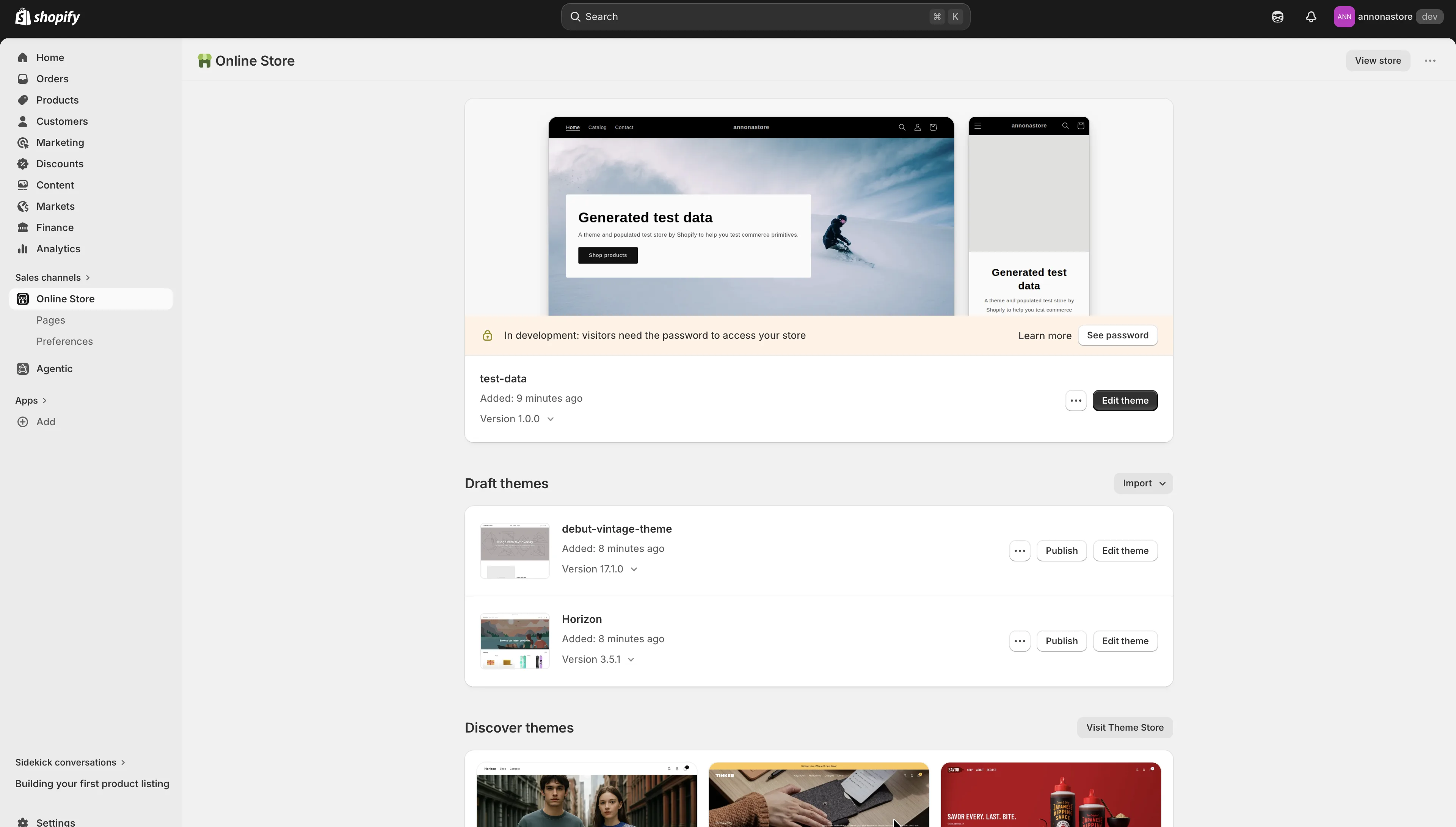
Click Edit theme on your live theme, then press the Actions (⋯) button at the top right and choose Edit code.
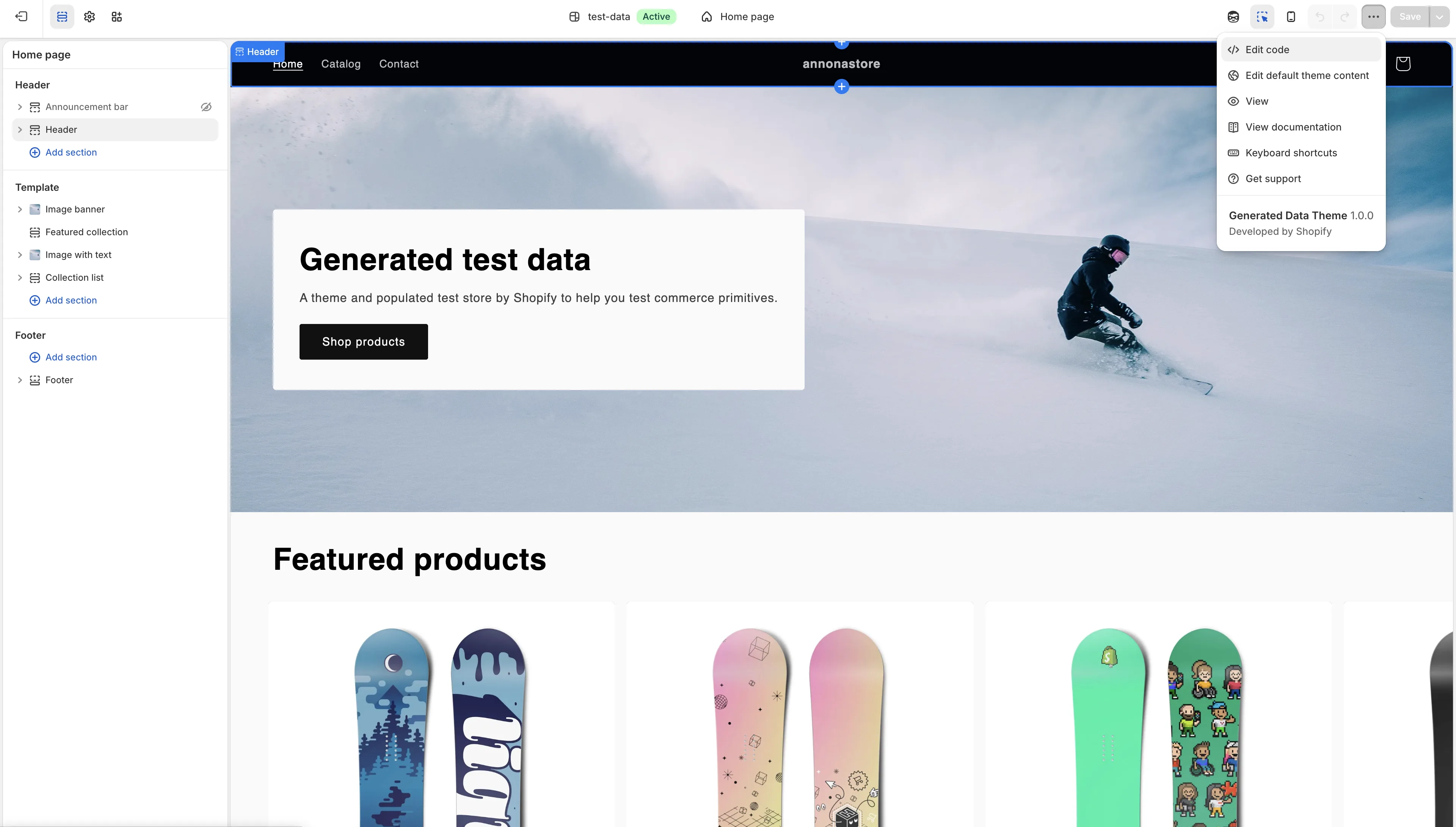
Open
theme.liquid, paste the script tag just before the closing</body>tag, and click Save.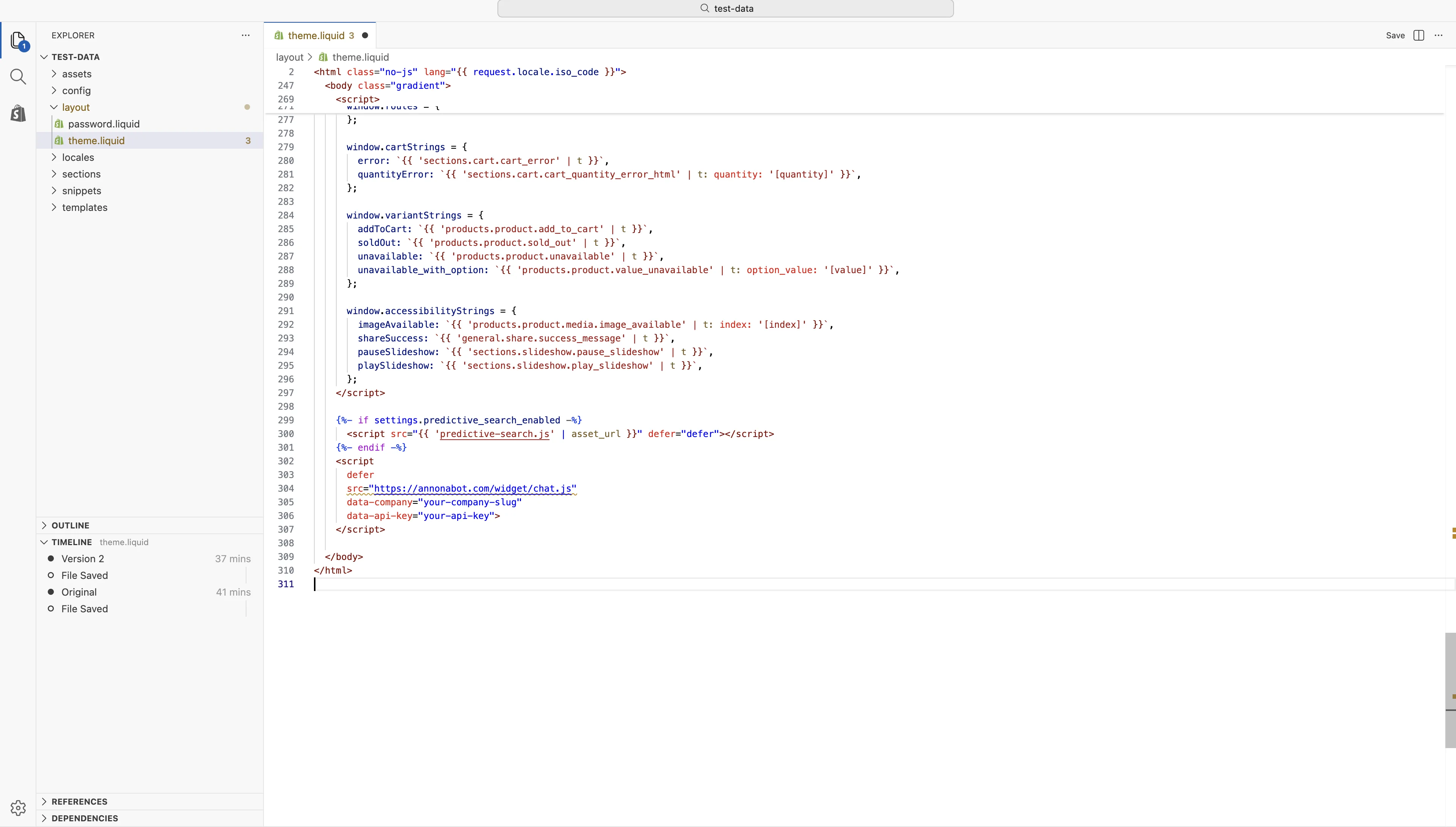
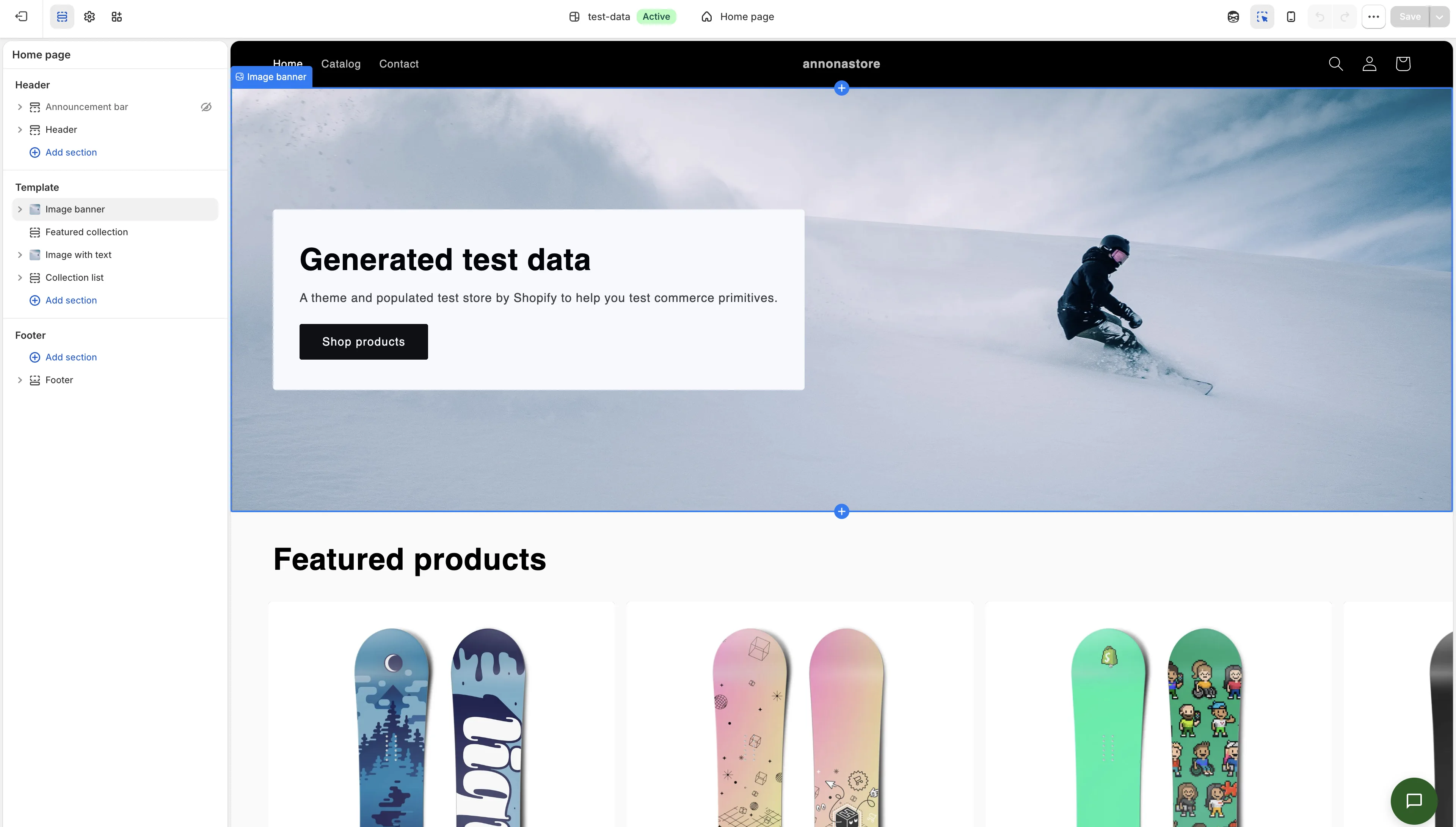
Visit your storefront — the chat bubble will appear in the bottom right.
Wix
In the Wix dashboard, go to Settings → Custom Code (under Advanced). Click Add Code, paste the script tag, set it to load on All Pages in the Body - end position, and apply.
Squarespace
Go to Settings → Developer Tools → Code Injection. Paste the script tag in the Footer field and click Save.
Bulk Import
Upload a CSV file or paste directly from a spreadsheet (Excel, Google Sheets). Your data should have these columns:
question,answer,category
"How do I reset my password?","Go to Settings > Account > Reset Password","Account"
"What are your business hours?","We're available Mon-Fri, 9am-5pm","General"
The category column is optional.
API Reference
The chat API uses your API key for authentication via the X-API-Key header.
/api/v1/chatSend a message and receive an AI-generated response.
{
  "session_id": "unique-session-id",
  "message": "How do I reset my password?"
}